
Add SuperMailbox
Enter the SuperMailbox MCP server URL in your compatible AI app.
Connect Gmail, iCloud Mail, Outlook, and more to ChatGPT, Claude, or another compatible AI app through MCP. Ask in chat to find and summarize messages across your connected inboxes.
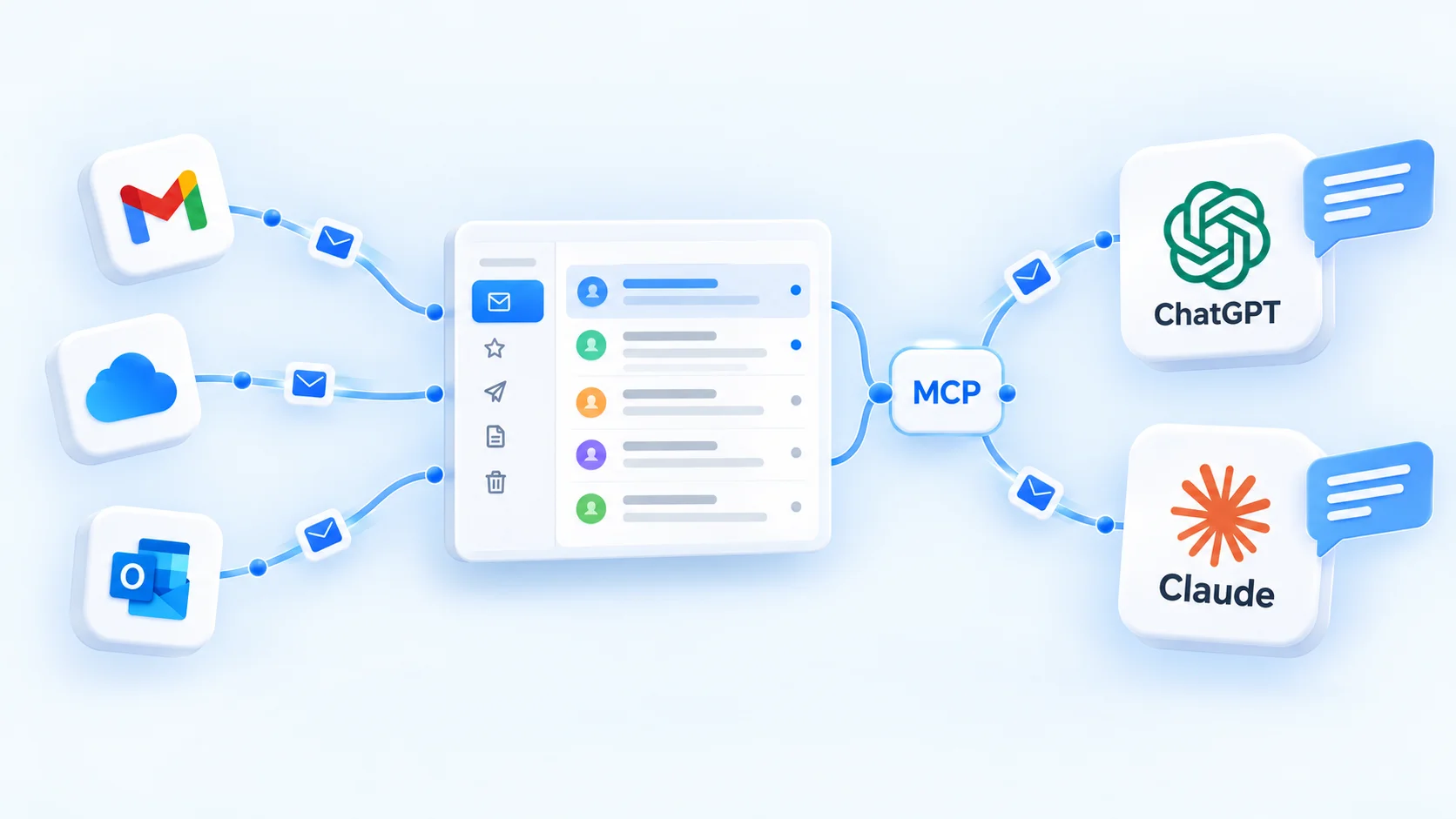
Connect SuperMailbox through MCP in ChatGPT, Claude, or another compatible AI app. Approve the connection, then find or summarize messages right in the conversation.
Enter the SuperMailbox MCP server URL in your compatible AI app.
Sign in to SuperMailbox and review the access request.
Use a prompt to find messages or summarize a thread.
“Find the latest email about my delivery date.”
“Summarize the conversation about next week's project review.”
“Which recent emails ask me to reply before Friday?”
SuperMailbox brings supported mail accounts into one web inbox, with a separate connection for each account.
Keep everyday email in one place and bring in an AI assistant when it helps.
Use the SuperMailbox inbox on desktop or mobile to work through connected accounts.
Connect ChatGPT, Claude, Dot, Muse, or another compatible assistant to SuperMailbox through MCP. Approve its requested access, then work with connected mail in chat.
Move between accounts without giving up the familiar work of reading, replying, and organizing mail.
Browse messages across connected accounts and switch to a single mailbox when you want.
Find messages, open attachments, write drafts, and reply from the web app.
Create rules to move or label incoming messages and handle other supported actions.
Select an address configured for your connected mailbox when you compose or reply.
Connect iCloud Mail once, then use the inbox in SuperMailbox or ask ChatGPT about connected email through MCP.

See which AI apps are connected to SuperMailbox and manage their access from your account.
See active app connections and the access each connection requested.
Disconnect an authorized AI app from your SuperMailbox account.
Review or remove connected mail accounts from your workspace.
Connect a mailbox first, then choose how you want to work with your email.
Sign in securely with a magic link and choose a plan.
Add Gmail, iCloud Mail, Outlook, Yahoo, Fastmail, or another supported IMAP account.
Read and organize email in the web app, and connect a compatible AI app if you want.
Every plan starts with a seven-day free trial. Choose the mailbox limit that fits your life.
Billed $49.90 per year
Billed $89.90 per year
Billed $99.90 per year
One seven-day trial per account. A payment method is required to start; cancel anytime.
SuperMailbox supports Gmail, iCloud Mail, Outlook, Yahoo Mail, Fastmail, and other IMAP accounts. The sign-in method depends on the provider.
No. You can read and manage connected email in the SuperMailbox web app. MCP access is an optional way to use a compatible AI app.
Connect the iCloud Mail account that owns those addresses. Sender addresses configured for that account may be available when composing, depending on what iCloud exposes.
No. A mailbox is a connected email account. Additional sender addresses on that account share its inbox and do not use extra mailbox slots.
Read email in one web app, and connect AI when you want another way to find and understand messages.